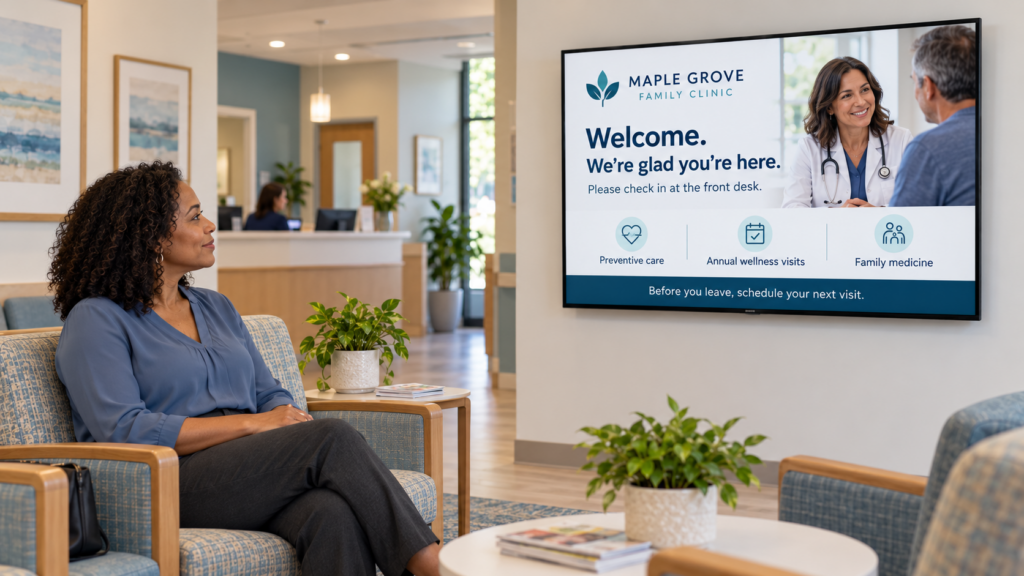
When the Wi-Fi goes out on a Tuesday morning, the TV by the front desk is still on, and a customer is standing there reading it. A black screen is the fear. For most content, it’s the wrong one.
Most of what’s on a lobby TV was downloaded days ago. Only a few things get fetched live while they play, and those are the ones that fail when the connection does.
Cloud-based means you build and manage your slides on the web, and a small player at the TV downloads them, so there’s no software to install on a server in a closet. You log in from a phone or computer. You change a slide. The player picks up the change.
Gartner describes digital signage software as something that “creates and controls multimedia content for electronic displays,” which covers the cloud part of the job. The word “cloud” itself is older and broader than signage, and Wikipedia notes that in 2011 the National Institute of Standards and Technology identified 5 “essential characteristics” for cloud systems. For a sign, 1 part of that matters to you. The design work lives online, and the playing happens locally.
That split is why offline behavior is a fair question. The cloud holds your slides, and the player on the back of the TV is the thing in the room. If the player has already downloaded the slides, a dropped connection does not take them away.
It should keep playing everything it has already downloaded, which for SmartSign2Go players means photos, text slides, designs and uploaded video that were on the player before the connection went away. Staff don’t need to do anything. Nobody has to walk over and press a button.
A slide that says “Closed Monday for the holiday” doesn’t need the internet once it’s on the player. The same goes for a lobby directory, a class schedule or a list of services you’ve already published.
Storage matters here, because downloaded content has to fit on the player, and it varies by model. SmartSign2Go’s players come with 16GB or 32GB. If you plan to run a lot of video, ask about storage before you buy. The guide on what to buy when choosing a digital signage player goes through the trade-offs.
Anything live needs a connection, because it is fetched while it plays. That holds for every cloud-based system. The live items are YouTube, Vimeo, streaming radio, social media feeds and news.
Weather, calendars, live web pages, RSS and spreadsheet data also come from the internet. Ask any vendor how each of those behaves when the connection drops, and don’t build a slide around one that matters until you have the answer. If a slide has to be right at all times, it should not depend on a live feed.
The table below sorts common slide types by what you should expect.
| Slide type | Offline behavior | What to do |
|---|---|---|
| Photo or text slide, already downloaded | Keeps playing | Nothing |
| Uploaded video, already downloaded | Keeps playing | Check storage if you run a lot of video |
| YouTube or Vimeo clip | Needs a connection | Upload the file if it has to play every time |
| Streaming radio | Needs a connection | Treat as optional |
| Social feed or news | Needs a connection | Keep a plain backup slide in the playlist |
| A change you make in your dashboard | Usually arrives when the connection returns | Wait, then check the TV |
The last row is the one people miss. The dashboard is online and the player is offline, so an edit made during an outage usually can’t reach the TV until the connection is back. That is an inference from how cloud systems work, so confirm it with any vendor you’re considering.
When the connection comes back, look at the TV and confirm the update arrived. Check it on the actual TV, not just the preview.
If the lobby Wi-Fi drops often, ask whether you can run an ethernet cable to the TV. A cable won’t help during a full outage, but it removes one common reason for a short one.
If you’re the IT person, this is also where you can help most. A player on a guest network that gets reset every few weeks will look offline for reasons that have nothing to do with the signage.
The player restarts on its own once power returns. The TV and the player both need electricity, so nothing plays during the cut itself. When the power comes back, nobody has to reconnect cables or log in.
This is where consumer devices often fail small teams. Rachel Madsen, marketing manager at Pybus Public Market in Wenatchee, Washington, put it this way: “one of the things I did not like about the Firesticks that we were using is they were clunky. They stopped working.” A device that stops and needs a person to bring it back is the thing offline planning tries to avoid. A note on why to use hardware meant for digital signage covers that in more detail.
Some plans send an email alert when a player goes offline, and on SmartSign2Go that alert comes with the Enterprise plan. Without one, someone has to notice. Give 1 person the job of glancing at the TV each morning, or checking the dashboard if it shows each player’s status.
A player can be offline and still look fine to customers, because it is playing cached slides. That is good for the lobby and bad for your awareness. Staff may keep publishing changes that never arrive.
If you’re the IT person, this is the part to hand over in writing. Name who checks the TV, how often, and who they call when a change doesn’t show up. The guide on how to choose a digital signage supplier has more questions to put to a vendor.
The biggest mistake is building the whole playlist from live content. A playlist of YouTube links and a news feed looks great in the demo, then it’s the first thing to go when the connection drops.
Staff also trip over old edits. They change a price or a time, see the new version in the dashboard and walk away, but if the player was offline the TV still shows the old slide. Look at the TV before you tell customers about a change.
Cached content doesn’t expire by itself either. A slide for last month’s event plays offline just as faithfully as a current one.
Sensitive content is a separate risk, especially at a healthcare or front desk TV. A cached slide is a slide on a device in a public room, so keep the content to what you would be comfortable putting on a public wall. The piece on waiting room signage without the privacy risk goes into this, and the one on what to put on reception area signage gives ideas that hold up offline.
Ask open questions and write down the answers. A good vendor will answer them without a long pause.
If you can’t get a clear answer to a question, that is information too.
If you already have a sign running, unplug the router for a few minutes while someone watches the TV. Note which slides keep playing and which go blank. Then plug the router back in, make a small edit in your dashboard and time how long it takes to reach the TV. Write both results on a card and tape it inside the cabinet with the player, so the next person who inherits the screens doesn’t have to guess.
Cloud-based digital signage means you design and schedule content online, and a small player at each TV downloads and plays it. There is no server to maintain. You can update a screen from any computer or phone with a login.
It works for content already downloaded to the player. Photos, text and uploaded video keep playing. Live items such as streaming, social feeds and news need a connection, and new edits usually wait until the connection returns.
Not if yours has an HDMI port. The player plugs into that port and joins your Wi-Fi or Ethernet. Check the size and mounting before you assume the TV you have is in the right place.
Start with who will run it day to day and what happens when something breaks. Then ask about offline behavior, setup, support hours and contract terms. Make the vendor answer in plain words, and test the answers on your own TV.
SmartSign2Go players keep playing downloaded content when the internet drops and restart on their own after a power cut. Cloud signage plans start at $19 per screen per month, and you can see the options on the shop page.
SmartSign2Go players ship already set up and keep playing downloaded content through a dropped connection. You can see the products on the shop page and the plans on the pricing page. If you’d like to see how it behaves offline on your own setup, you can book a demo.