
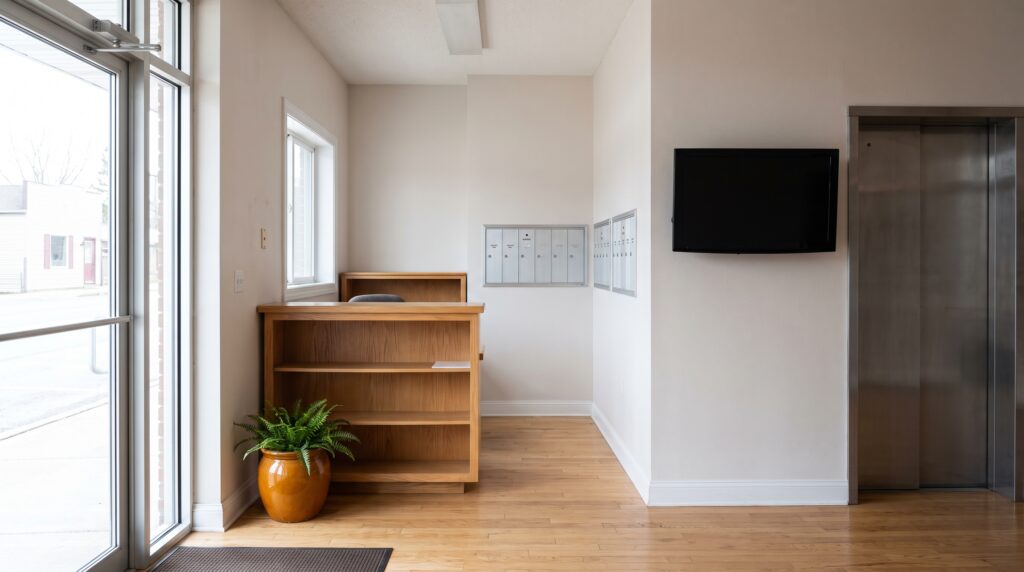
If you run a front desk, a lobby or a waiting area, you already have an audience. They’re standing there with nothing to read. Right now they’re probably looking at a sheet of paper taped to the wall, or at a TV playing something that has nothing to do with you.
Advertising here is smaller and closer to home. You promote what you sell, announce what’s coming up, and in some cases let a neighbor or tenant buy a slot on your screen.
It counts any time the screen asks a visitor to notice something you want them to act on. That could be a list of services, a class schedule, a seasonal promotion, an upcoming event or a directory of who’s in the building. Think of it as the bulletin board by your front door, except it can change itself. It’s the same screen doing a different job each time.
Industry writers sort the uses into a few groups. Payline Data lists menus, directions and in-store information among the typical uses. An academic paper in the Journal of Retailing and Consumer Services describes in-store digital displays as most used for product advertising, information presentation, navigation or entertainment.
Most advice online is written for stores. Much of it carries over to a lobby, and some of it doesn’t.
A waiting room is a good example of what carries over. A dental or vet front desk could run a slide for each service it wants patients to ask about, plus today’s hours. Nobody has to ask the receptionist, because the screen already did. You’ll find more examples by type of business on our industries page.
Put it where people already stand still. A front desk, a check-in line, a waiting area and a hallway outside a class are all good places. A screen in a corridor people walk through at speed gets glanced at and forgotten.
Researchers have tested this kind of question in a real store. In 2020, Stephanie van de Sanden, Kim Willems and Malaika Brengman ran an exploratory field study with 296 shoppers in a store selling horticulture, baking and pet supplies, as the published abstract describes. They compared value-expressive messages with utilitarian ones, screens at the entrance with screens at the register, and low goal relevance with high. That design makes a useful checklist for your own space: what the message says, where the screen sits and what the visitor came to do.
Screen size follows from distance. If people read it from across a room, you need a bigger screen and bigger type than a desk-side monitor. Our guide to choosing the right size digital signage screen walks through that.
Start with whatever people ask the front desk most often. If three visitors a day ask what services you offer, or when the next class starts, that’s your first slide. The screen answers the question before it’s asked.
| Content | Works well in | Who usually changes it |
|---|---|---|
| Services you offer, with a short description | Waiting rooms, front desks | Owner or office manager |
| Today’s schedule or upcoming events | Gyms, markets, campuses, lobbies | Whoever runs events |
| Directory of people or suites | Multi-tenant buildings | Property or building manager |
| Seasonal promotion | Any customer-facing space | Owner |
| A neighbor’s or tenant’s message | Buildings with steady foot traffic | Owner, after agreeing terms |
The last column matters as much as the first. Content that nobody owns goes stale within a month, and a stale screen tells visitors you’ve stopped paying attention. Pick the person before you pick the slides.
Photos help too. Pair each message with a real photo of your own space, your staff or your equipment, and the slide reads faster than a block of text.
It can change by itself. A printed sign says the same thing at nine in the morning and at closing time, and it says it until somebody walks over with tape. A gym can show the morning class schedule until 11, then switch to evening classes without anyone touching the screen. A promotion can retire on the day it ends.
It can also show things that move or update. Some signage plans pull in a weather feed, a calendar, a news ticker or a live web page, and some let you design a slide in Canva and send it straight to the screen. None of that is required to start. A handful of still slides, a photo on each and an end date on every one will already beat the paper.
That’s the gap between a slideshow and a useful screen. A slideshow loops until someone remembers it exists. A useful screen shows the content you want when you want it, and lets you fix a typo from your phone.
Sometimes, and one published customer shows how it starts. Phenix Salon Suites in Orange, California rents private suites to stylists, barbers, aestheticians and nail techs. Marie, the managing partner, runs a location with 51 of them. Their screen is in the lobby, and Marie describes what it does first.
“we have the digital signage in our lobby and we use it mostly for our directory”
Marie, managing partner, Phenix Salon Suites, Orange, California. From the Phenix Salon Suites customer story.
The published story also lists event announcements and selling lobby ad space among the uses. The directory comes first because every visitor needs it, so people actually look at the screen. Selling space is a second use that sits on top of attention the screen has already earned. That’s our reading of the story and not something Marie says, but it’s a sensible order to copy.
If you’re thinking about offering space to others, three things keep it from going wrong. Agree what runs, for how long and who supplies the artwork before anything goes live. Keep most of the screen time for your own message so visitors still see why the screen is there. And only sell what you can keep current, because an expired offer from a neighbor reflects on you. Other published stories are on our customer stories page.
Five things, and only one of them is the screen. Most small teams get stuck on the second and fifth.
| Piece | What it does | What to ask |
|---|---|---|
| Screen | Shows the content | Does it have an HDMI port? |
| Player | The small box that plays your content all day | Does it keep playing if the internet drops? |
| Software plan | Lets you build and schedule slides | Can the person who updates it learn it in one sitting? |
| Internet connection | Delivers updates to the player | Is there Wi-Fi or an Ethernet cable near the screen? |
| An owner | Keeps content fresh | Who changes it, and how often? |
Any TV with an HDMI port works as the screen, so you rarely need to buy a new one. The player is the part that has to run every day, and our guide to what to buy in a digital signage player has the detail if you want it. The software is a monthly plan for each screen, so it belongs in your budget as a running item and not a one-time purchase.
The most common one is leaving old content up. A promotion that ended last month, or an event that already happened, makes the whole screen look neglected. Give every slide an end date when you create it, and use software that retires it for you.
Another is promoting everything at once. A slide with eight services in small type gets read by nobody. One service per slide, a photo and a short line is easier on a visitor who only glances up.
Owners also put the screen where nobody lingers. A hallway display feels like good use of a wall, but if people walk past it, they won’t stop to read it. Move it to where people wait.
Selling space before there’s attention is the fourth mistake. A neighbor won’t pay to be on a screen nobody looks at, and they’d be right. Earn the glances with useful content first.
The last is having no owner. Screens fail quietly. Name one person, give them a recurring ten minutes a week and write down what they’re responsible for.
No. An ad network sells screen time from many locations to outside advertisers. On-premise advertising means you control one screen or a few and decide what plays. You promote your own services and, if you choose, give space to a tenant or neighbor.
There are five. You need a screen, a player, a software plan, an internet connection and a person who owns the content. The first four are equipment and a monthly per-screen software plan. The fifth decides whether the screen stays useful after the first month.
Not if yours has an HDMI port. The player plugs into that port and joins your Wi-Fi or Ethernet. Check the size and the mounting before you assume the TV you have is in the right place, because a bad spot matters more than an old model.
Yes. Agree what runs, for how long and who supplies the artwork. Keep most of the screen time for your own message. Phenix Salon Suites lists selling lobby ad space among its uses.
SmartSign2Go sells cloud signage plans from $19 per screen per month, plus players that ship already set up, starting at $149 for the Lite player. Plans are month to month with no contracts. You can see the options on the shop page.
For promoting your own services, the Advantage plan is the one we usually recommend, and the players arrive set up. Plans start at $19 per screen per month. You can browse the products in the shop and compare plans on the pricing page. If you’d like to see it on your own screen, book a demo. Prefer to talk first? A person picks up at (802) 851-7446.